Business Card Sizes: UK Dimensions & Artwork Guide
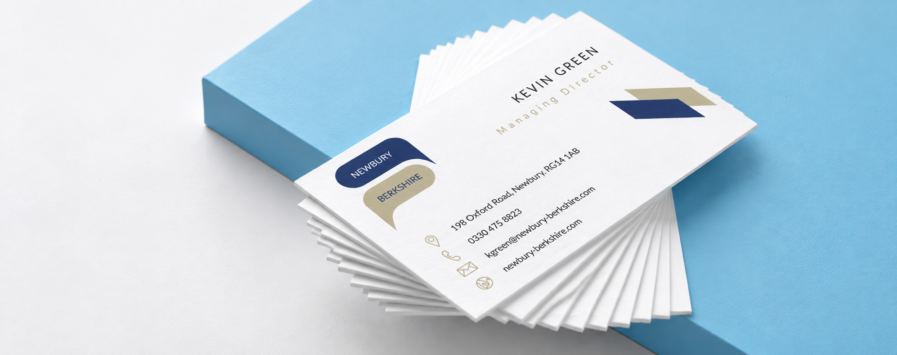
The standard business card size in the UK is 85 × 55mm, or 8.5 × 5.5cm. It’s the size most people will recognise and gives you enough room for contact details, a logo or QR code while still fitting neatly into most wallets and card holders.
The same dimensions work for landscape or portrait designs, and there are other formats available if you want something a little different. Below, we’ve covered the standard measurements in mm, cm, inches and pixels, along with the artwork size you’ll need once bleed is added.
Business Card Size Chart
Here are the standard UK business card dimensions in a few different measurements:
| Measurement | Standard Business Card Size |
|---|---|
| Millimetres | 85 × 55mm |
| Centimetres | 8.5 × 5.5cm |
| Inches | Approx. 3.35 × 2.17in |
| Pixels at 300dpi | Approx. 1004 × 650px |
| Artwork size with 3mm bleed | 91 × 61mm |
| Pixels with 3mm bleed at 300dpi | Approx. 1075 × 720px |
The pixel measurements are useful if you’re creating artwork in software that works in pixels rather than millimetres. For print, it’s usually easier to set your document up using the actual finished size where possible.
What Size Should My Business Card Artwork Be?
If your finished business card is 85 × 55mm, the artwork should normally be set up at 91 × 61mm.
That gives you 3mm bleed on every edge.
Bleed is the extra artwork that runs past the final trim line. It allows backgrounds, colours and images to reach the edge of the finished card without leaving unwanted white lines after trimming.
The finished card will still measure 85 × 55mm. The extra 3mm around each edge is simply there to be trimmed away during production.
If you’re creating the artwork from scratch, add the bleed at the start. It’s much easier than trying to extend backgrounds or images once the design is finished.
Keep Important Details Away From the Edge
Anything sitting in the bleed area is there to be cut off, so keep important information away from it.
Names, phone numbers, email addresses, logos and QR codes should sit comfortably inside the finished edge of the card. Leaving a little space around them also helps the design feel less cramped and easier to read.
This matters even more on simple designs. A logo or line of text sitting slightly too close to the edge can be much more noticeable on a small business card than it would be on a larger piece of print.
Landscape or Portrait Business Cards?
A standard 85 × 55mm business card can be used in either landscape or portrait orientation.
Landscape business cards are the more traditional choice and give you plenty of horizontal space for names, job titles, email addresses and website details.
Portrait business cards use the same finished dimensions but turn the layout through 90 degrees. They can work well for simpler designs, larger logos or layouts where you want the card to look a little different without changing the actual size.
There isn’t a right or wrong choice here. It comes down to the design and how much information you need to fit onto the card.
What Information Should Go on a Business Card?
An 85 × 55mm card gives you enough room for the details most people actually need.
That might include:
- Your name
- Business or company name
- Job title
- Phone number
- Email address
- Website
- Social details
- QR code
- Logo
You don’t need to include everything.
Trying to squeeze too much onto a business card can make it difficult to scan. A name, logo and a few useful contact details will often work better than filling every bit of available space.
If you genuinely need more room, a folded format or another piece of print may be a better option than making the text smaller.
Does Business Card Size Change With Rounded Corners?
No. A business card with rounded corners can still finish at the standard 85 × 55mm size.
The corners are shaped after printing, so the artwork is normally set up using the same finished dimensions and bleed as a standard rectangular card.
Just keep text, logos and borders comfortably away from the corners so nothing important feels too close to the shaped edge.
What Resolution Should Business Card Artwork Be?
Business card artwork should ideally be supplied at 300dpi at the finished size.
That helps small text, logos and images stay sharp when printed.
Simply changing a low-resolution image from 72dpi to 300dpi won’t add detail that wasn’t there to begin with, so start with good-quality images and logos wherever possible.
Vector logos are particularly useful because they can be resized without losing quality.
RGB or CMYK for Business Cards?
Screens display colour using RGB, while commercial print is generally produced using CMYK.
If your artwork is created in RGB, some colours can look slightly different once converted for print. Very bright blues, greens and other vivid colours are often the most noticeable because a screen can display colours that CMYK inks can’t reproduce in exactly the same way.
If your design software allows it, working in CMYK gives you a better idea of how the colours are likely to reproduce when printed.
Choosing the Right Business Card
For most businesses, 85 × 55mm is a good place to start. It’s familiar, easy to carry and gives you enough room for the information people are likely to need.
If you want the finished card to feel a little different, the stock, finish, orientation or shape can often make more of a difference than changing the size itself.
If you’re ready to start putting yours together, take a look at our full range of business cards and compare the different printing options available.